01
Choose the exact view
Set a front, three-quarter, side, or back camera for the VTuber reference sheet generator instead of asking the model to guess.
AI character reference workflow
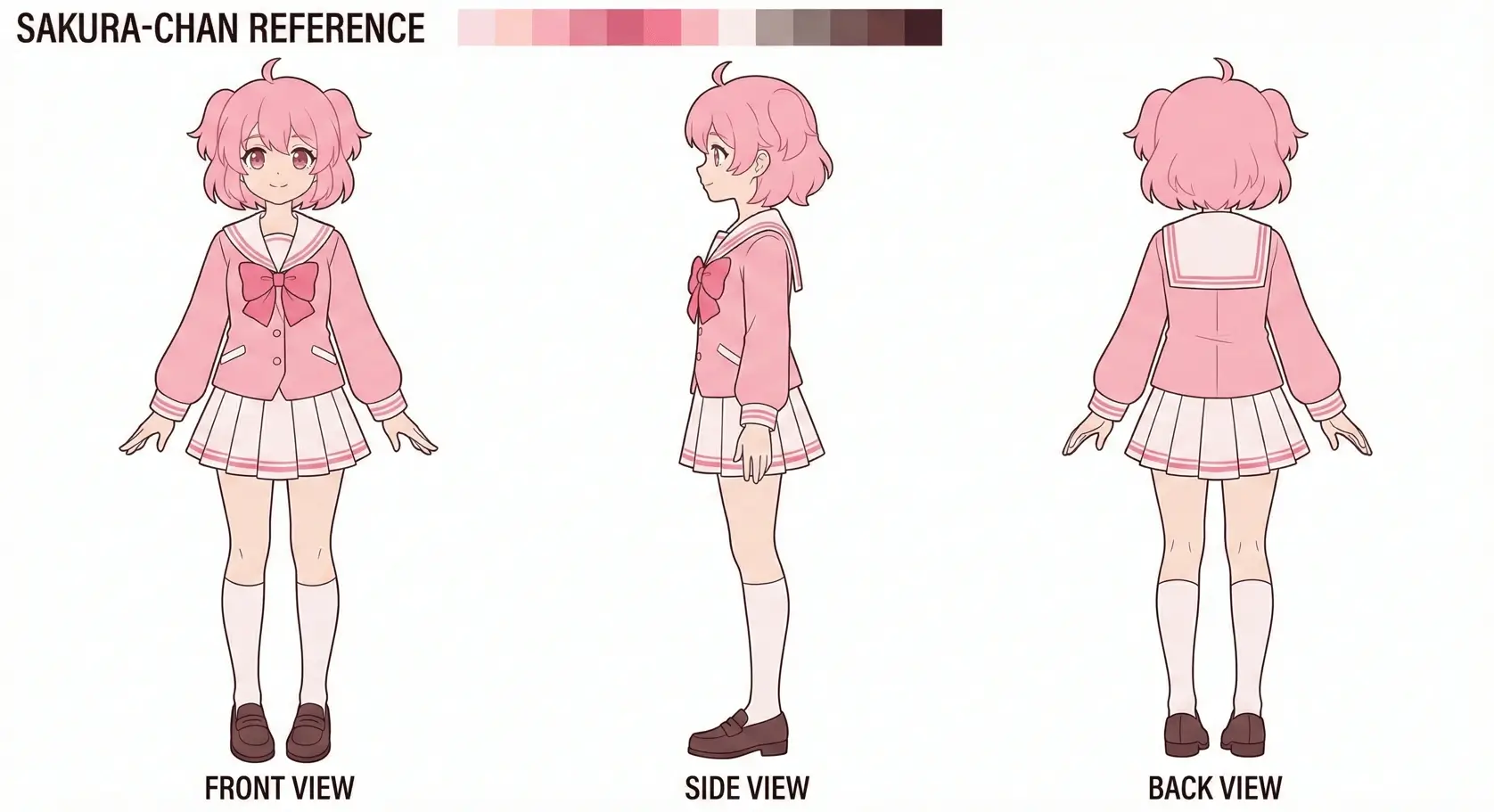
Create front, side, and back references for Live2D planning for VTuber creators, character artists, and Live2D riggers. Upload reference images, choose the camera direction, and keep the original design as your visual anchor.
Directed generation
A useful VTuber reference sheet generator needs more than a rewritten prompt. Set the direction, height, and framing before you generate each reference view.
01
Set a front, three-quarter, side, or back camera for the VTuber reference sheet generator instead of asking the model to guess.
02
Upload up to three references so the VTuber reference sheet generator follows the same face, costume, palette, and silhouette.
03
Choose close, medium, or wide framing, then export the VTuber reference sheet generator view as JPEG, PNG, or WebP.
Upload an image, add an optional prompt, then generate. You may get one or several images.
Up to 3 images. Drag and drop or click to upload.
Matches the top diagram: where the camera sits around the subject.
Matches the side diagram: lens height and tilt.
Smaller dashed ring ≈ tighter framing; larger ≈ more scene (both diagrams).
Generated images will appear here.
Three-step workflow
Each generation follows the camera settings you choose, so you can build a reference set one deliberate view at a time.
Upload up to three images to give the model a clear visual anchor for the subject and style.
Choose from eight directions, four camera heights, and three framing distances before you generate.
Download the generated view as JPEG, PNG, or WebP and continue in your creative workflow.
Prompt recipes
Use a short constraint prompt to protect the details that matter. Pick a recipe below, then refine it in the generator.
VTuber model reference, preserve face, eye shape, hairstyle, color palette, and signature accessories across the selected view.
Show clear hair layers, costume overlaps, ribbons, jewelry, and asymmetrical details for Live2D artist handoff.
Clean full-body VTuber reference sheet, neutral pose, even lighting, plain background, no dramatic perspective.
Production uses
Optimized workflows for every type of creator.
Generate additional camera views to support 3D asset planning and modeling references.
Explore a character from selected directions before commissioning or refining a Live2D rig.
Use camera controls to explore a concept from new directions without redrawing every reference by hand.
Consistency first
The camera stays explicit and the source images stay visible throughout the workflow, giving you a clearer base for review and iteration.
Creating consistent character sheets has historically been a challenge for generative AI. Our Multiple Angles AI utilizes a custom pipeline involving depth estimation and style transfer. By analyzing the geometry of your input image, we predict the hidden information of the side and back views, ensuring that elements like backpacks, hairstyles, and weapon holsters are rendered logically in 3D space.
In the 3D modeling workflow, a "Character Sheet" (or Reference Sheet) is crucial. It provides the blueprint for modelers to sculpt accurate geometry. Our tool solves the "shimmering" issue where AI generates different faces for different angles, providing a stable reference for professional workflows. No more inconsistent features between views.
Each generation follows the camera settings you choose, so you can build a reference set one deliberate view at a time.
Practical answers
Everything you need to know about our character sheet generator.
A VTuber reference sheet generator creates consistent character views that clarify hair layers, costume parts, accessories, and silhouette before illustration or Live2D rigging begins.
Yes. One clear reference can work, but two or three references usually give a VTuber reference sheet generator better guidance for hidden details and asymmetrical features.
Start with the view missing from your current sheet. Use 0° for front, 90° or 270° for side, and 180° for back. A neutral VTuber reference sheet generator usually works best at eye level.
Treat output from the VTuber reference sheet generator as planning material. Review anatomy, costume construction, hands, text, and hidden details before it becomes a final production reference.
Yes. Upload up to three images. A front view, a detail crop, and an existing alternate angle can give a VTuber reference sheet generator better visual constraints.
Use clean references, keep the prompt focused on unchanged traits, generate one deliberate view at a time, and compare every result with the source before continuing.
Yes, you can generate preview images for free. High-resolution downloads and commercial licenses are available in our Pro plan.
Absolutely. All images generated by our Paid plans are royalty-free and can be used in commercial video games, animations, and marketing materials.
Yes. Our model is trained on monsters, mechs, vehicles, and props. As long as the subject has a clear geometry, we can generate multiple angles for it.
Choose JPEG, PNG, or WebP before generating your view.
Results depend on the reference quality and target view. Upload up to three references to give the model clearer visual guidance for the subject and style.
Each generation creates one view from your selected direction, height, and framing. Generate additional views one at a time.
Keep building
Move between adjacent tasks without leaving the same camera-controlled tool.
Open the character turnaround generator workflow with a matching default camera setup.
Open the character side view generator workflow with a matching default camera setup.
Upload up to three references and choose from eight camera directions, four heights, and three framing distances.
Start your VTuber reference sheet generator
Bring a clear reference, choose the missing view, and build the next frame in your character sheet.